A clean interface
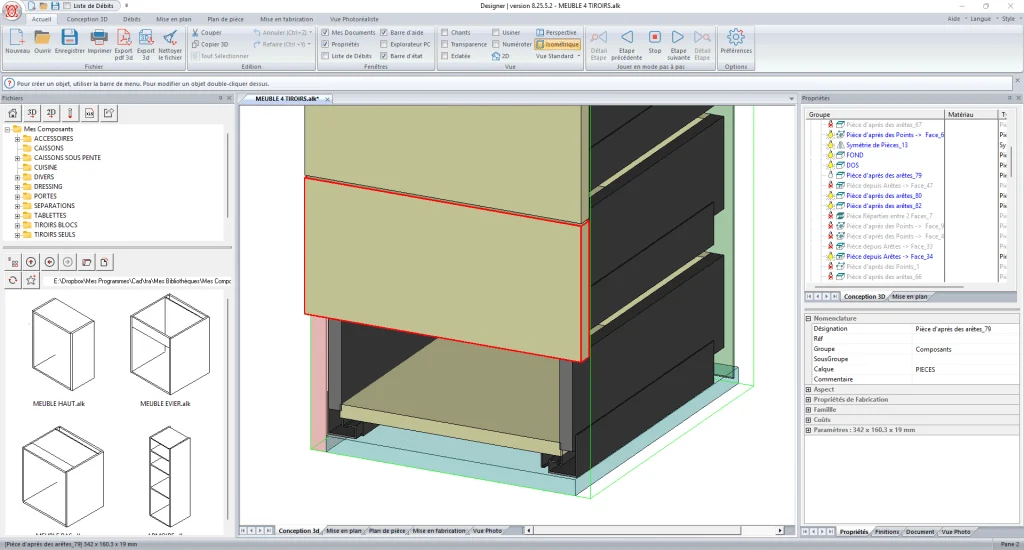
Efficient design is only possible when the tools users need most are within reach. All essential information is displayed, or available in a few clicks. Woodworking software must remain simple and accessible while offering powerful tools to save time and keep real flexibility.
Closer look at the property editor
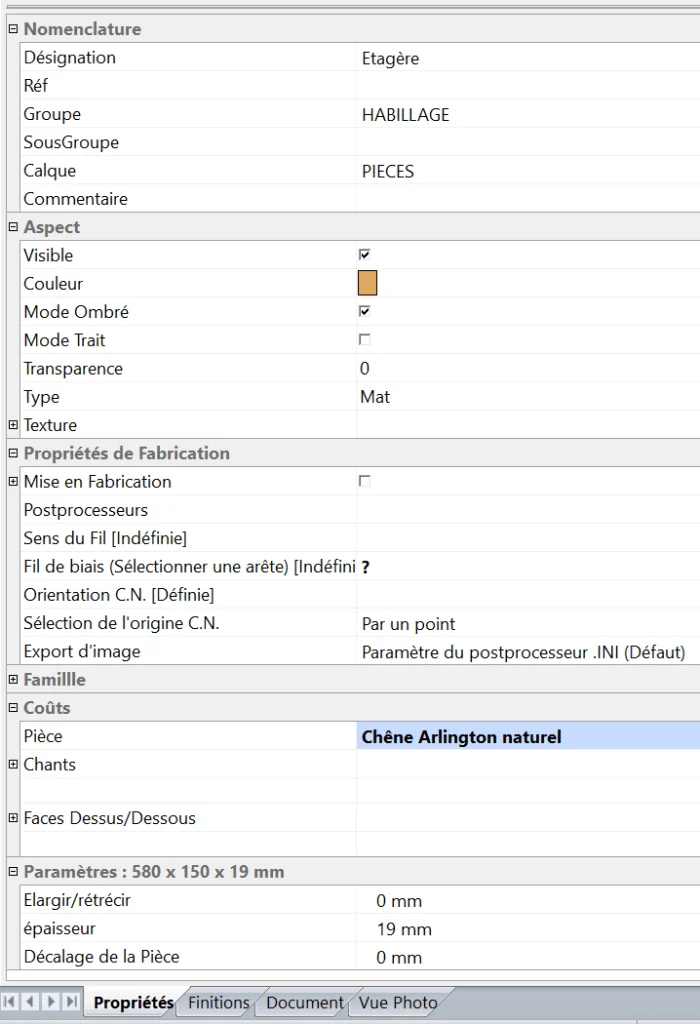
The editor is the central point of the software. It defines the names of parts and 3D drawing elements, groups them, adds references and controls appearance: wireframe or shaded display, color, transparency, texture and more. It is also where every drawing variable can be adjusted, from panel thickness to curve offset, plinth height or arch rise.
The editor also handles manufacturing properties. Users define grain direction, cross grain or angled grain, CNC origin and the tool name used for machining paths.
For materials, Aleker can use a material family such as CARCASE, FRONT or INTERIOR, or a specific material selected from an extensible Microsoft Excel library. Egger and Polyrey colors are included. With material families, finishes can be selected globally and discussed quickly with the customer.
Accelerated design
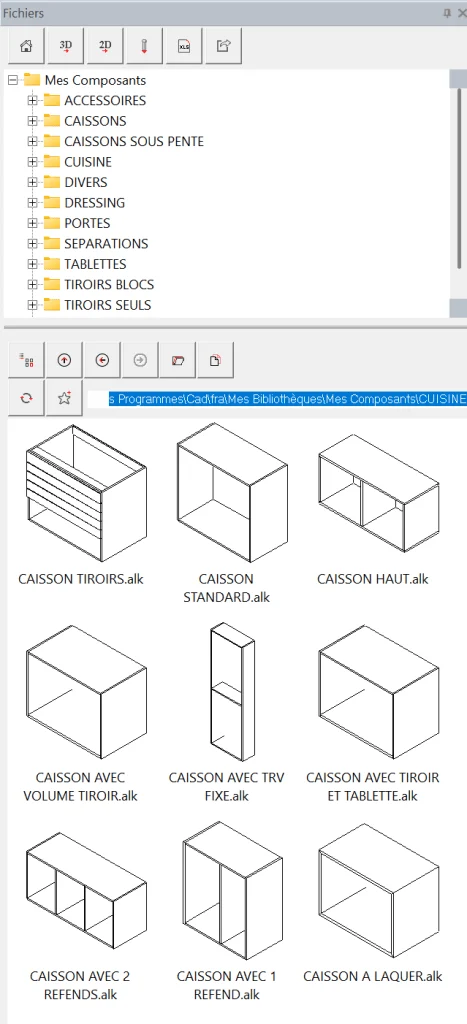
To work efficiently, whether you are designing a 3D kitchen, a dressing room, an under-slope cupboard, a bathroom layout or a joinery plan, the interface has to be both rich and readable. Aleker keeps ready-to-use components close at hand and organized so that partitions, shelves, drawers, doors, pull-down rails, handles and hardware can be inserted in 3D at each stage of the design. Each component adapts to the current project dimensions.
The reusable, customizable and endlessly extensible library
To move faster, the base software library contains more than 300 ready-to-use components. You can use them as they are, customize them or redraw them completely. Every 3D cabinet or accessory can be created in the software and saved as a new library element, then reused later with different dimensions or fittings.
With Aleker Designer, you stay free from the first hours of use and practice.
- Kitchen cabinets
- Dressing cabinets
- Fixed partitions
- Shelves and adjustable shelf blocks with shelf pins
- Fixed hanging rails and pull-down rails
- Shoe racks
- Single doors, solid-frame doors and sliding doors
- Drawer blocks
- Handles and knobs
- Home accessories such as stoves, books and tablets
Want to free up your creativity? You can also create your own components.
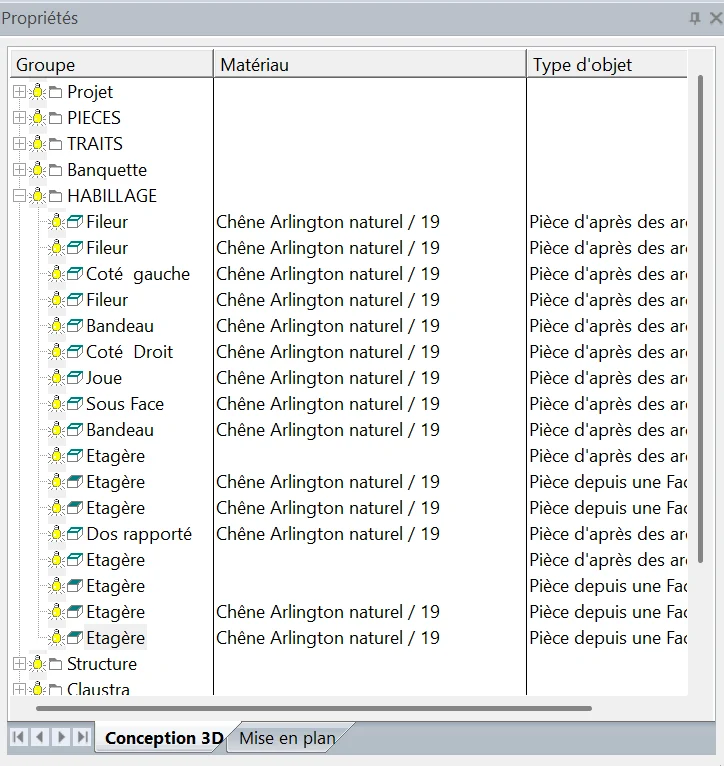
Organization: the foundation of well-made work
As the design evolves, the designer classifies each drawing element. This organization is reused at several stages of the project: sorting cut lists by different criteria, isolating elements during advanced design, or moving from customer validation to manufacturing. A structured project also provides clearer, already organized data for the workshop.
Varied drawing tools
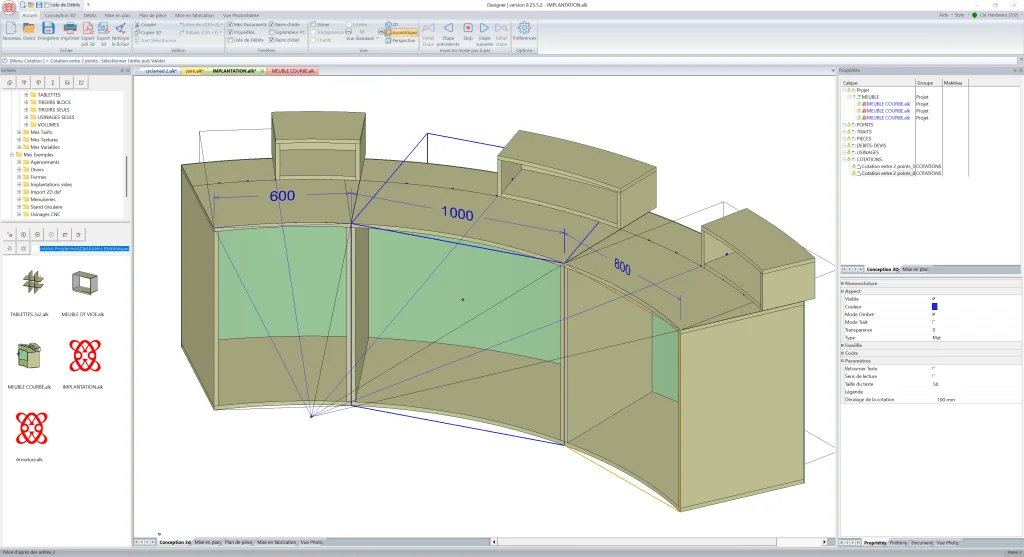
To draw in 3D, you first need classic geometric tools for layout work: arcs, basket-handle curves, tangencies, intersections and symmetry. This geometry makes it possible to draw without limits, whether for a complete interior layout, an installation or a single furniture item. A standalone cabinet can become a parametric component reused several times, adapting to widths such as 600, 1000 and 800 mm, and even changing radius, depth or height depending on the project.
Optimal downstream use
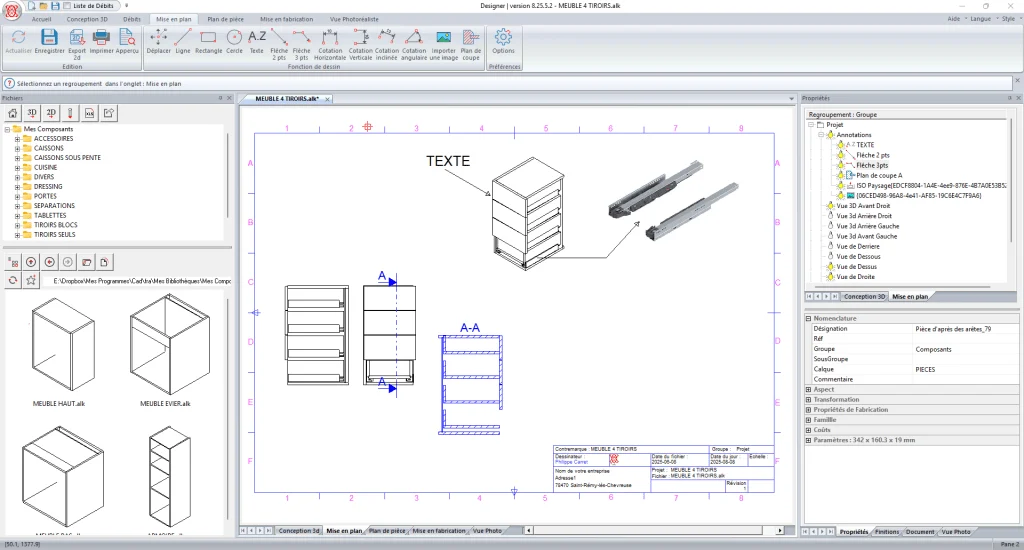
Once the 3D project is complete, the next step is manufacturing and installation. Aleker includes the production chain: easy drawing sheets, detailed cut lists, individual manufacturing drawings, complete workshop files, cutting optimization exports and CAM or CNC software exports.
Plans can be shared as DXF or DWG files, and 3D models can be exported in several formats including IGES, GLB, GLTF, DAE for SketchUp workflows and OBJ.
The key to productivity: communicate the right information
Aleker Designer improves communication across the whole workflow, from sale to installation.
A professional software tool must connect every participant in a project: the initial designer, the architect or interior designer on larger projects, the trades around the job, the customer, the workshop and finally the installers.
The manufacturing file becomes the shared reference for discussion, validation, production and installation.
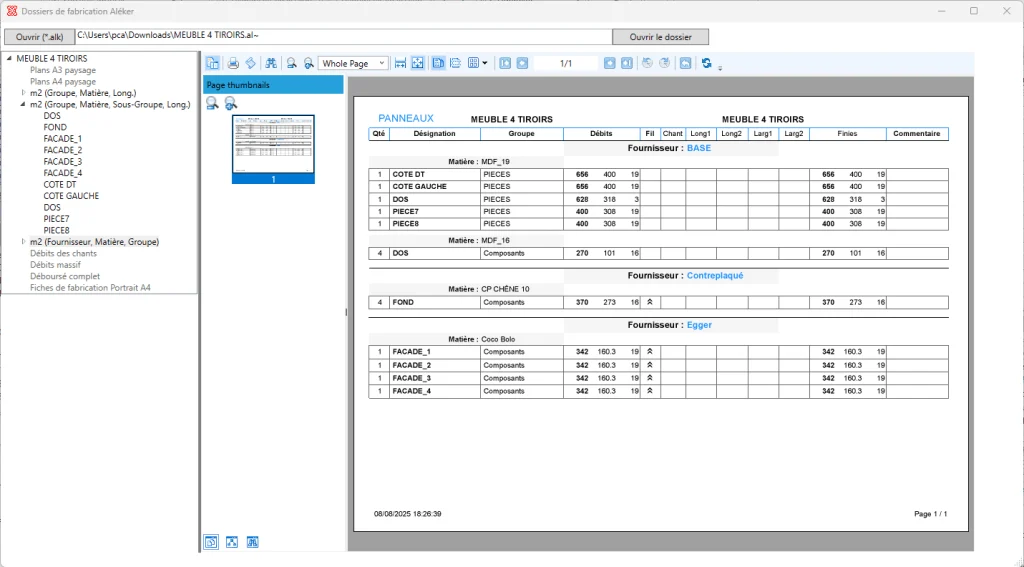
A complete and reliable cut list
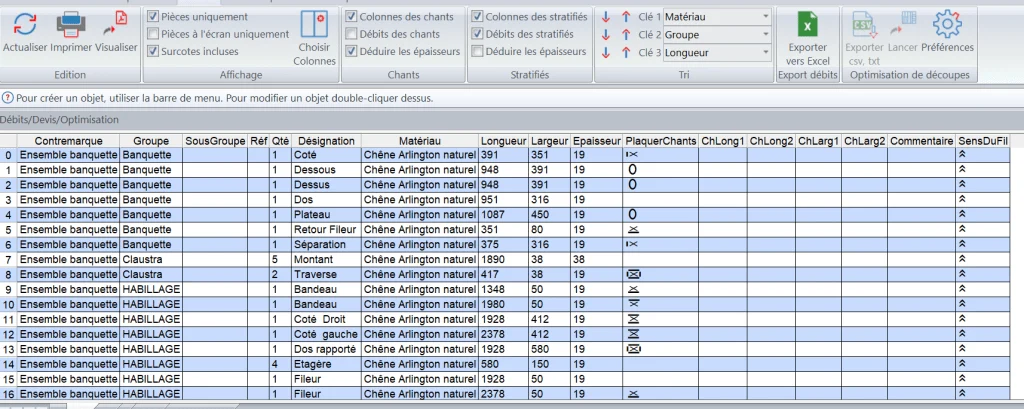
The cut list is calculated automatically as the design progresses. It can be organized, exported, sorted and printed as needed, with or without edges, with or without oversizes, and with edge thickness deducted or not. Clicking in the cut list automatically selects the corresponding parts in 3D, which is useful for checking dimensions.
Machining connectors: place an assembly, machining propagates to neighboring parts
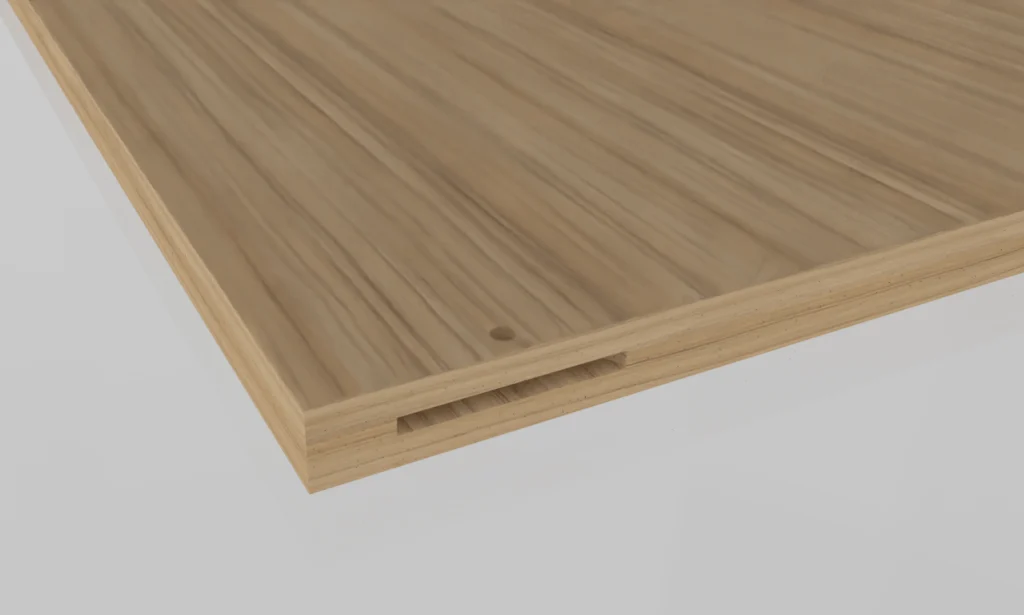
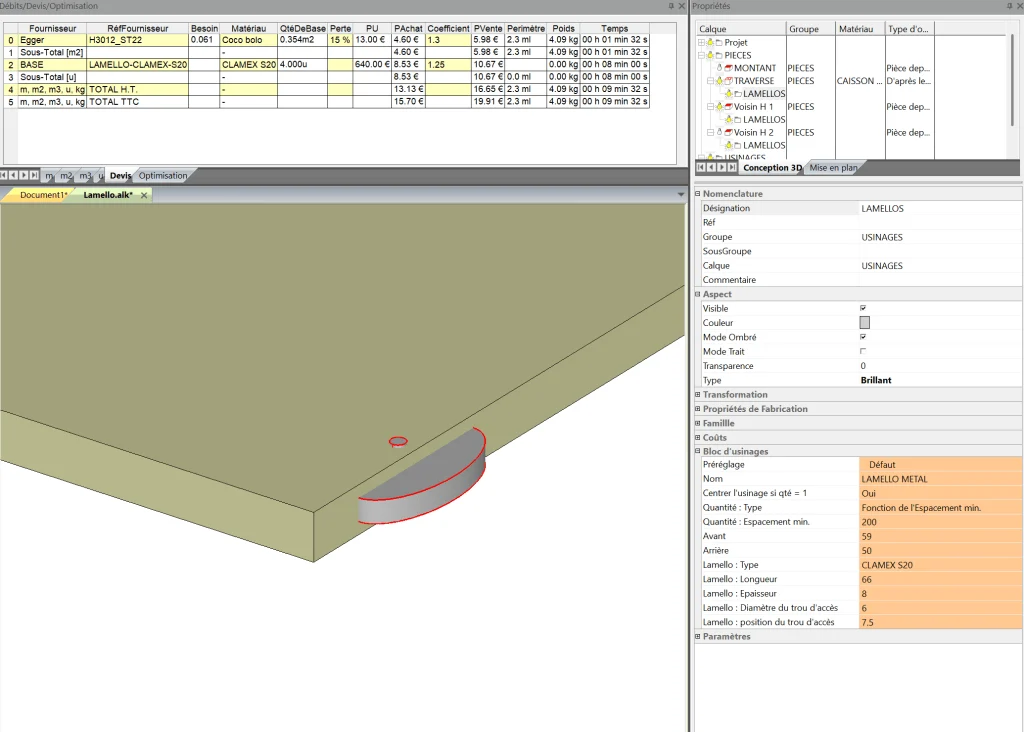
Aleker includes machining connectors. This function quickly assigns an assembly type to one part, such as a rail, while automatically applying the corresponding machining to neighboring uprights on the same edge or a perpendicular joint. Quantities and prices are calculated automatically.
Managed machining types:
- LAMELLO wood and metal: CLAMEX S18/S20, P10/P14, CNC / FLEXUS / MEDIUS, P18 DIVARIO
- Eccentric connectors and eccentric connectors with dowels
- Defix, Defix Duo and Minifix
- Dowels, dowels with screws
Detailed manufacturing drawings
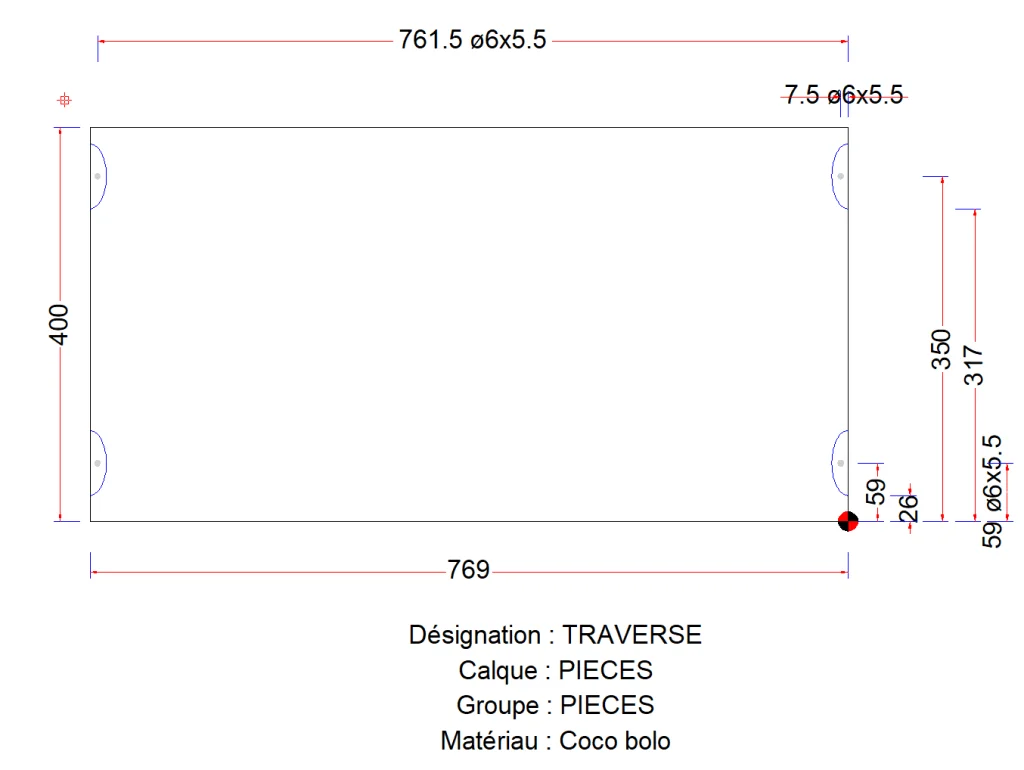
Each part has a manufacturing drawing with dimensions, drilling axes and diameters so the workshop knows exactly what to machine, where and how. CNC export is automatic, with specific subprograms used for Lamello machining.
Advanced positioning rules
- Fixed quantities
- Quantities based on a minimum spacing
- Automatic placement
- Front and rear overhang settings
- Dedicated properties for each machining operation: diameters
- Depths
- X, Y and Z positions
- Drawer model
- Weight for BLUM drawer runners
Special trade functions
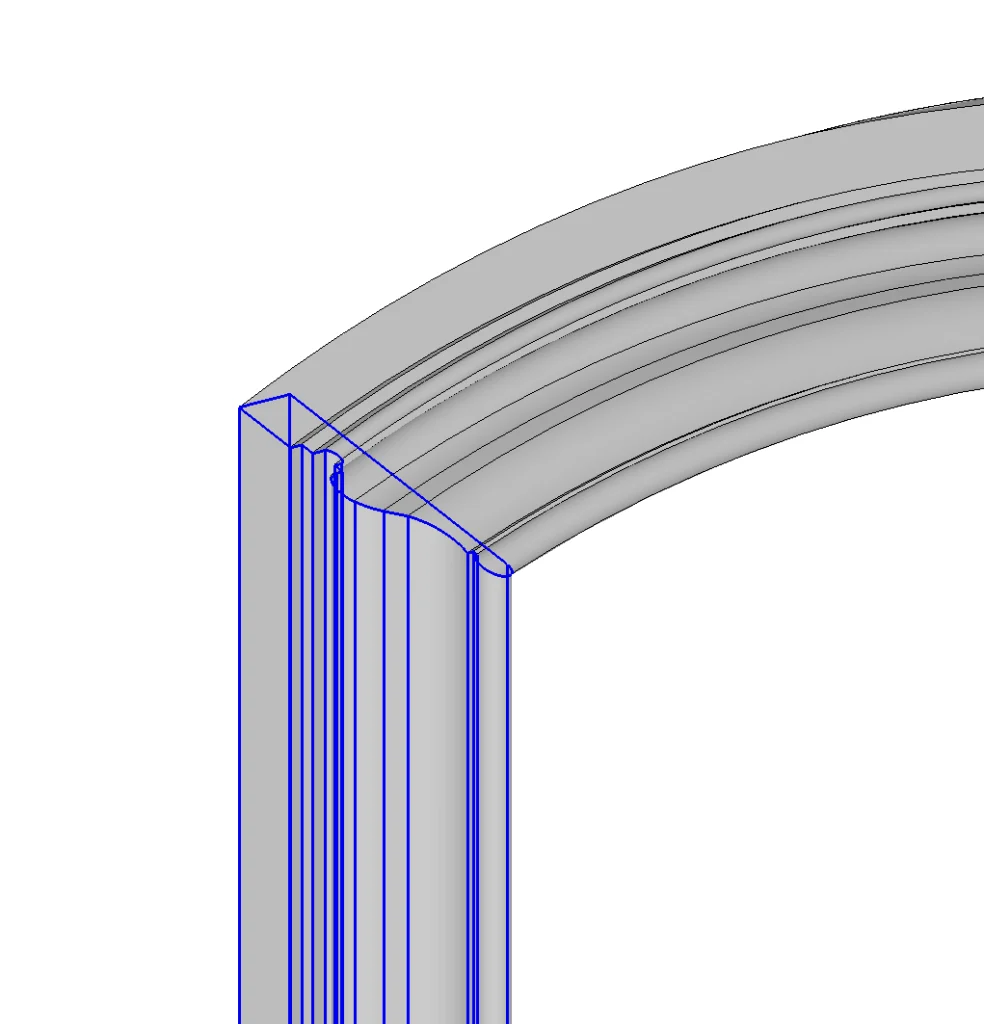
The software can use moulding profiles from DWG or DXF files and apply them automatically along a frame path with mitre joints. The method works for straight geometry as well as curved shapes. For example, a Guimier no. 190 profile can be imported, positioned automatically and used to produce a complete frame in about 20 seconds, without manually rebuilding the moulding.
Guaranteeing satisfied customers
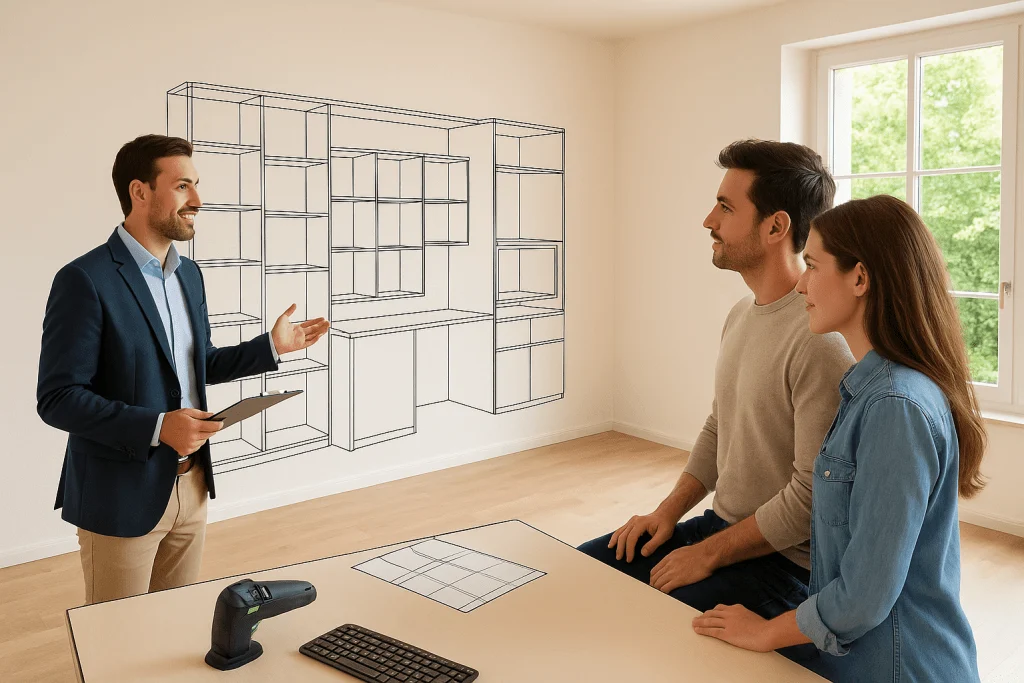
With 3D drawings that adapt to every situation, customers understand the project quickly. Pricing is calculated as the design evolves, so changes in dimensions or finishes can be handled without rebuilding the project.
Everything is redrawn and recalculated automatically.